Maintenance
Overview
This section manages all maintenance operations, covering the entire workflow from the initial request/proposal to the client, through to offer generation and approval.
The system handles the automatic scheduling of tasks while providing the flexibility to execute them in groups (Events). Similar to Gardiennage, the primary distinction from a standard Joblist is the focus on task frequency and recurrence.
14.1 Plans
This page displays the available Maintenance Plans.
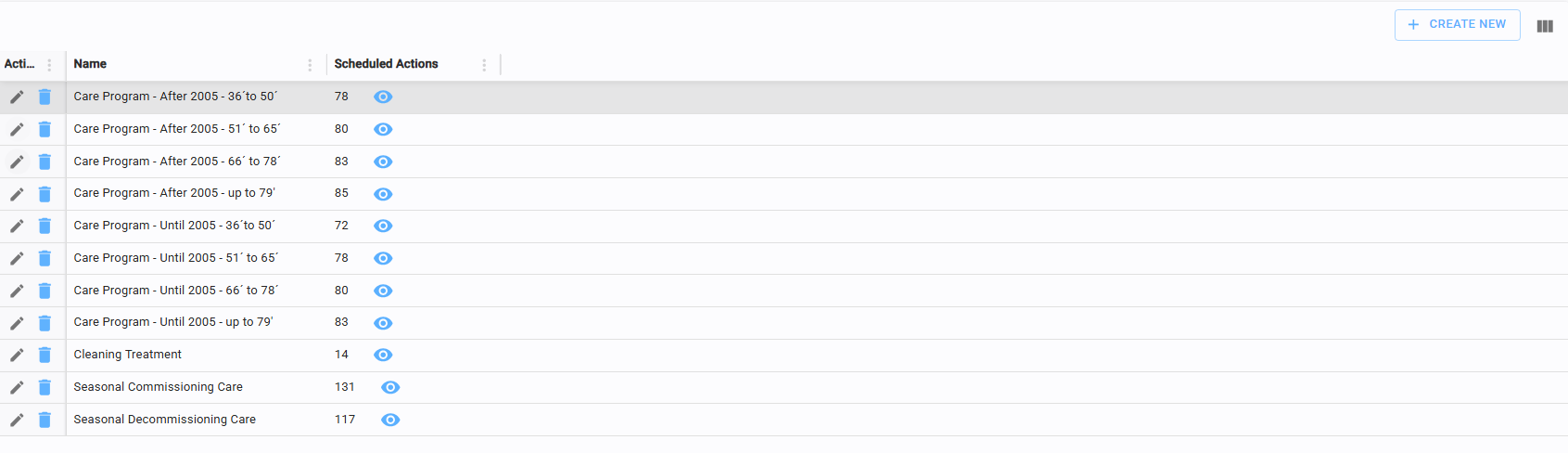
These plans consist of recommended maintenance schedules designed to ensure the proper upkeep of the vessels.
While frequencies may vary, they are typically structured on an annual basis. Click the eye icon to view the specific tasks included in each plan.
14.2 Maintenance request
This page is used to manage maintenance requests and proposals.


Click the eye icon to inspect every task within a specific request.
Beyond the standard Delete and Create New functions, additional actions are accessible via the three vertical dots in the Action column, including Make Offer (see 14.2.2) and Reject.
14.2.1 Create maintenance request
The Maintenance Request editor is divided into two sections:
Left Section: A form to specify the Yacht, Boat Member, the Facility and the Date.
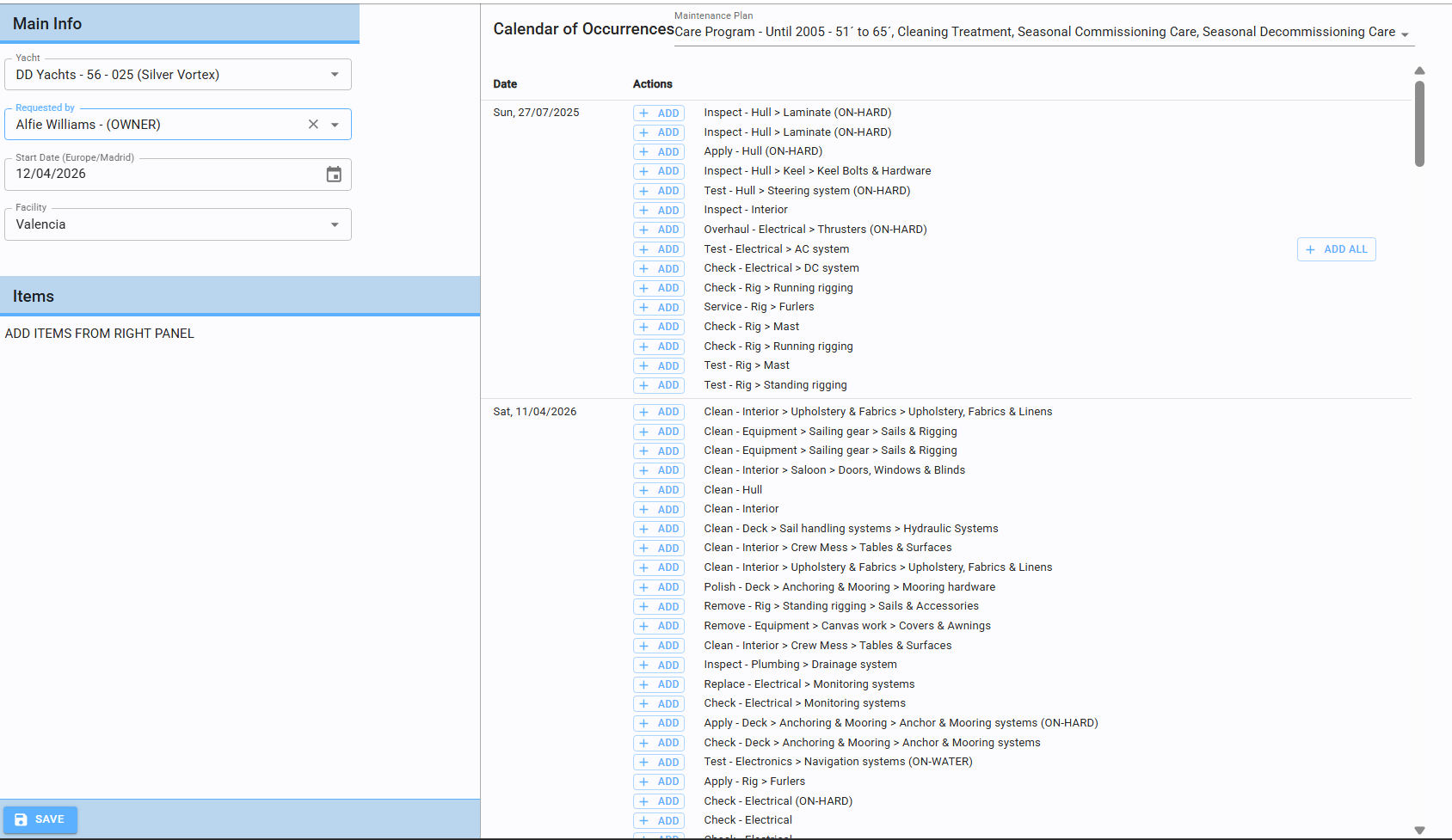
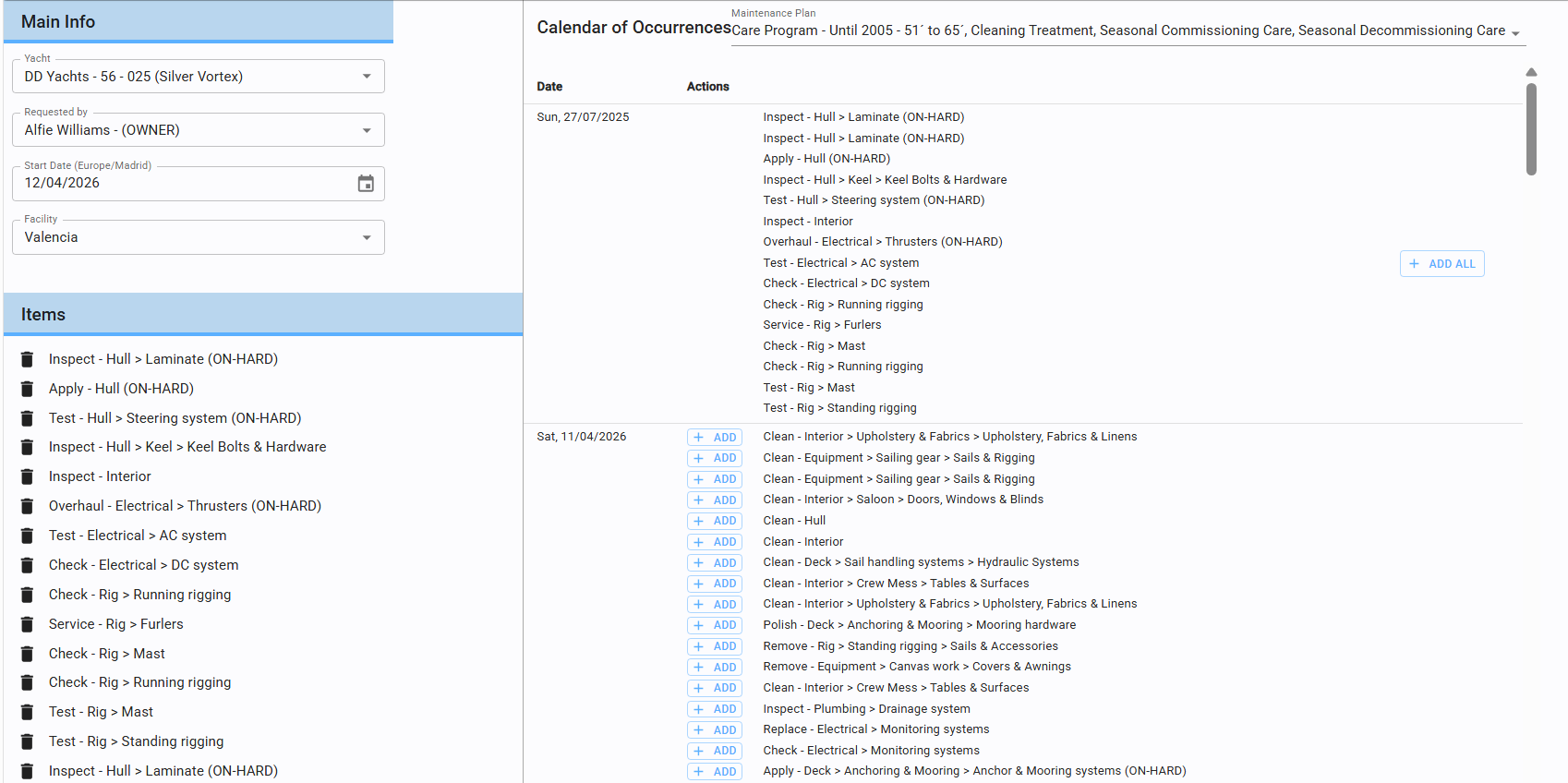
Right Section: Once the yacht and date are selected, the system automatically displays all recommended maintenance tasks based on the deadlines defined in the Plans.
You can add specific tasks using the "Add" button or include all recommendations at once using "Add All". Selected tasks will instantly appear in the Items list on the right to complete the request/proposal.
14.3 Maintenance offer
This page manages all maintenance quotations and offers.

14.3.1 Create offer
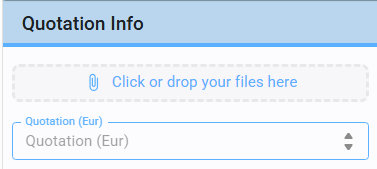
To create an offer, enter the Quotation amount and attach the relevant file (refer to section 3.6). Note that the quotation amount is fixed once saved.

14.3.2 Offer approval/rejection
Once an offer is saved, use the three vertical dots in the Action column to Approve or Reject the proposal.
If Rejected: A new offer can be created (see 13.2.1).
If Approved: You can proceed to Schedule Maintenance (similar to the workflow in section 13.2.3).
14.4 Occurrences
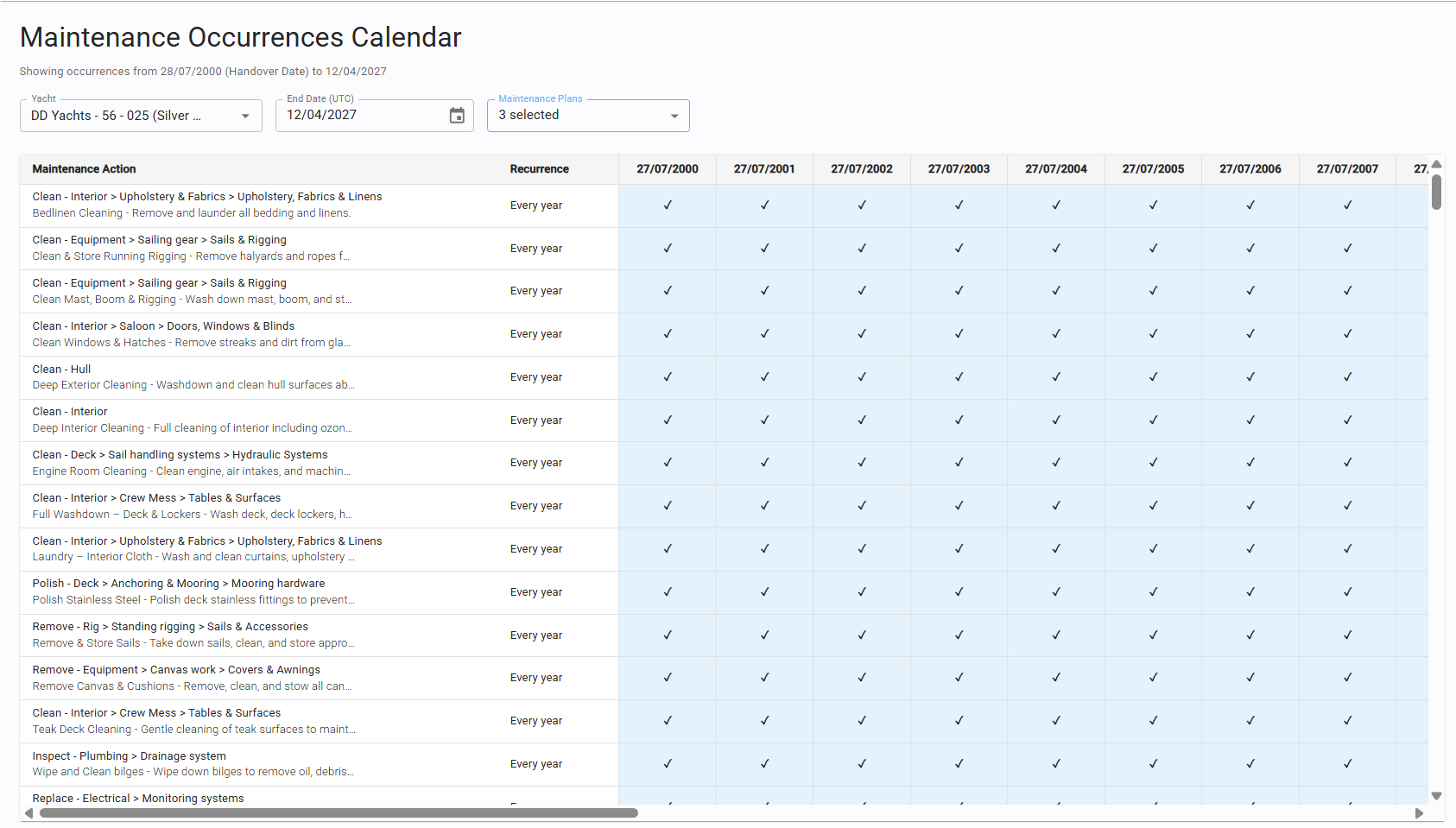
This page provides a comprehensive view of all scheduled and executed maintenance jobs, allowing users to track the history and status of every maintenance event.