Yachts
Overview
This section of the application manages the vessel database and the associations between yachts and their managers, owners, and members.
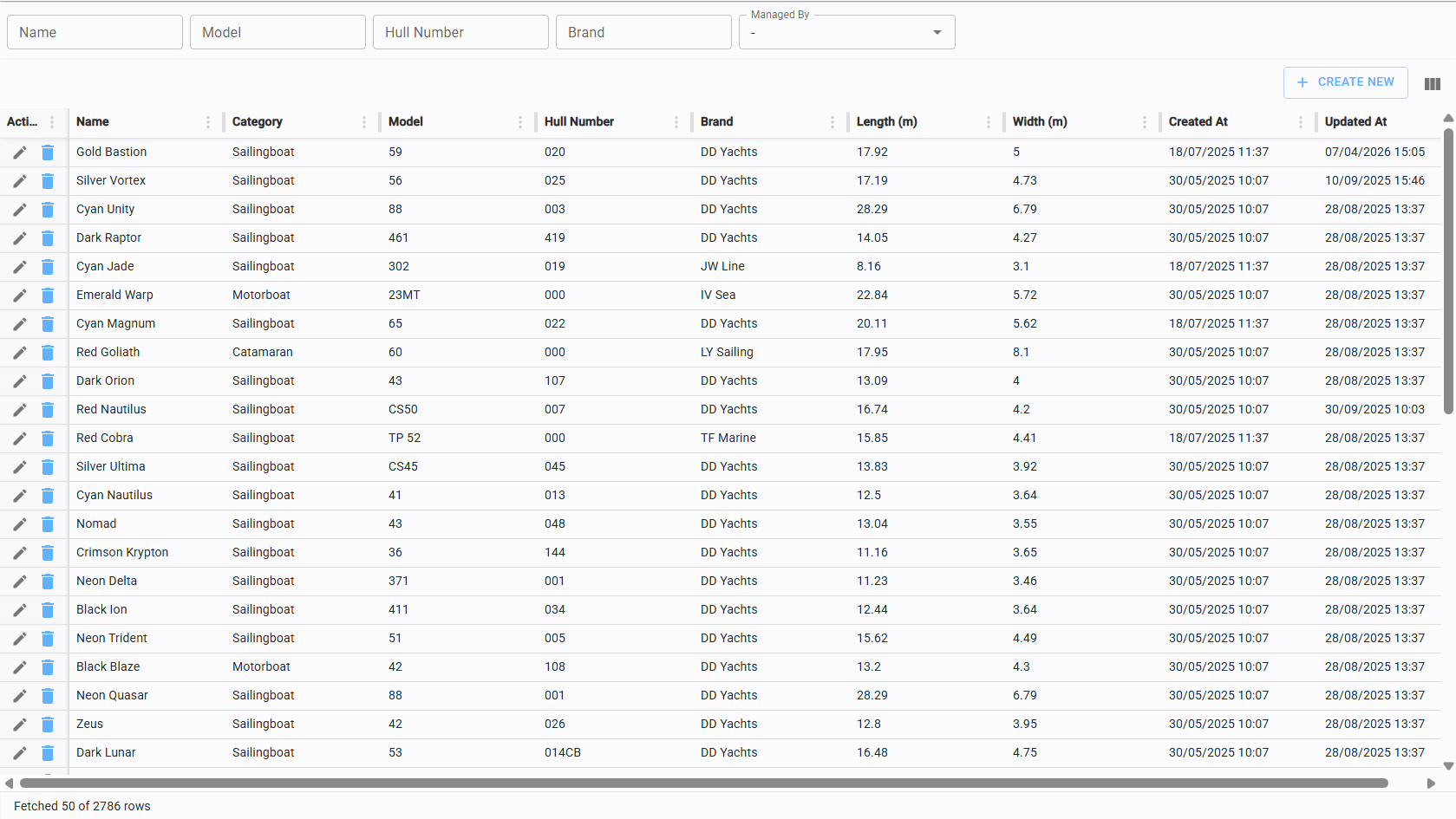
Yacht list
The Yacht List page provides a comprehensive overview of all registered boats. From this view, you can create new boat records or access the edit and deletion functions for existing ones.
Create/edit boat
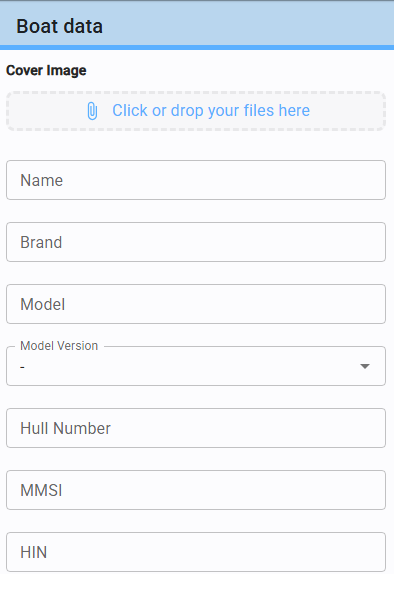
Click the "Create New" button in the top-right corner of the table to access the boat editor.
You can upload a cover image for the yacht (refer to Upload files for upload procedures).
The following fields are used to verify the uniqueness of the vessel:
- Hull Number (mandatory)
- MMSI
- HIN
Assign model version
Within the yacht editor, the "Model Version" dropdown allows you to select the specific combination of Brand, Model, and Version of the vessel. Assigning a value to this field is mandatory to save the record.
Assign additional data
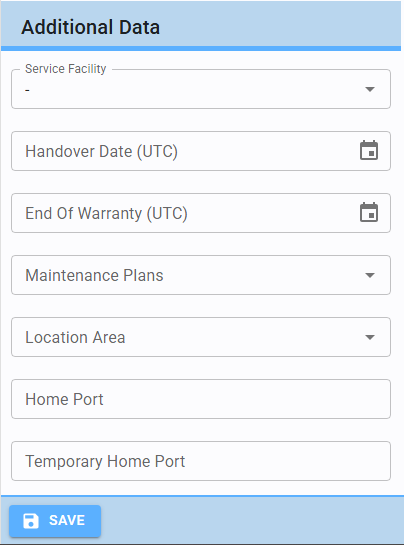
While optional, the following fields provide critical data for core software functionalities:
- Service Facility: Associates the yacht with a specific facility.
- Handover Date & Maintenance Plans: These play a central role in automated maintenance scheduling.
- Location & Home Port: These fields provide essential support for administrative and logistics management.
Boat member
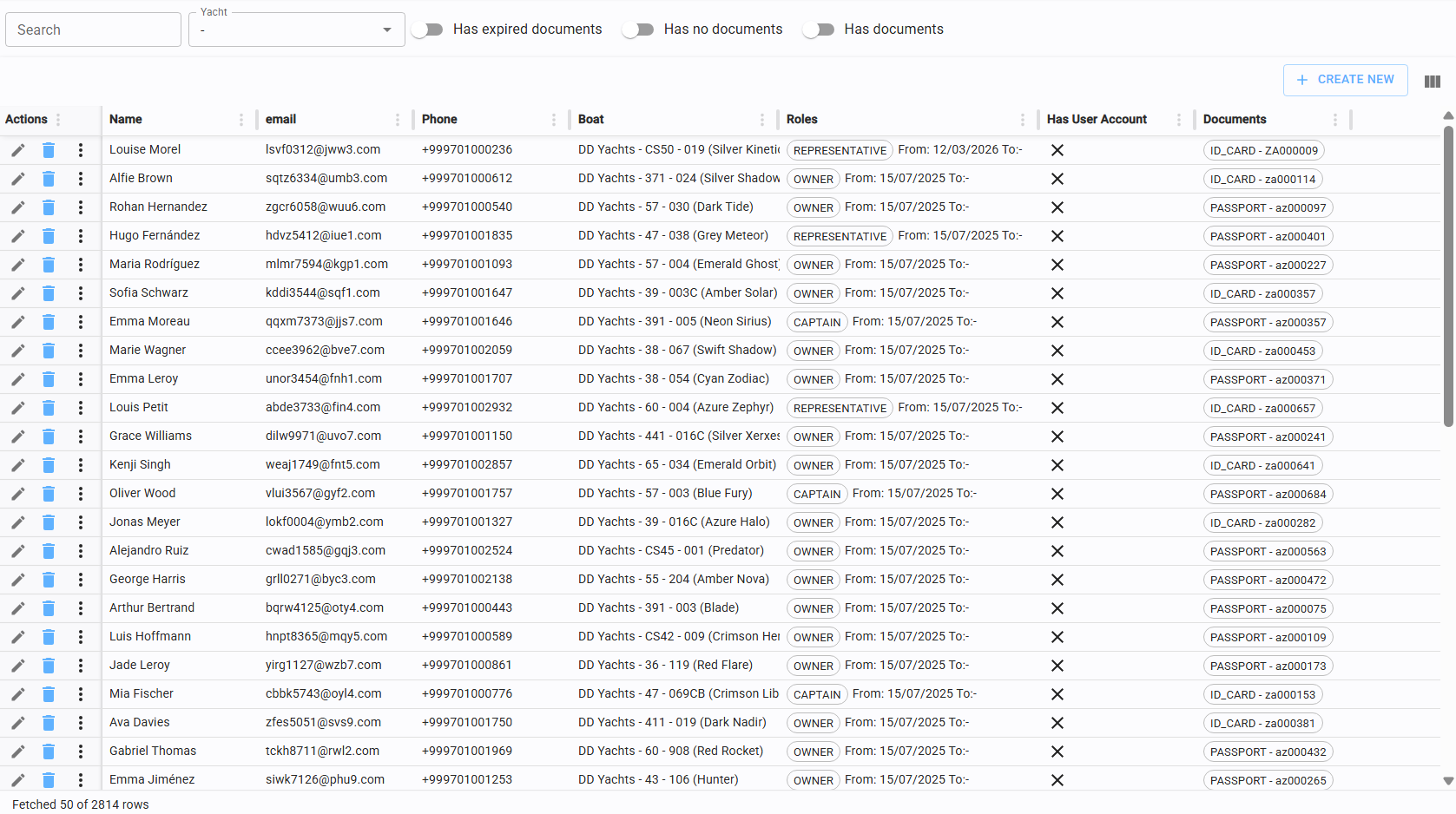
This page displays all members associated with any specific boat. It allows you to manage, update, or terminate these relationships.
Assign member to boat
Click "Create New" in the top-left corner of the table to open the association form.
Mandatory Fields: Full Name and Yacht must be specified.
Optional Fields: Contact details such as email and phone number are elective.
Assign/terminate role to member
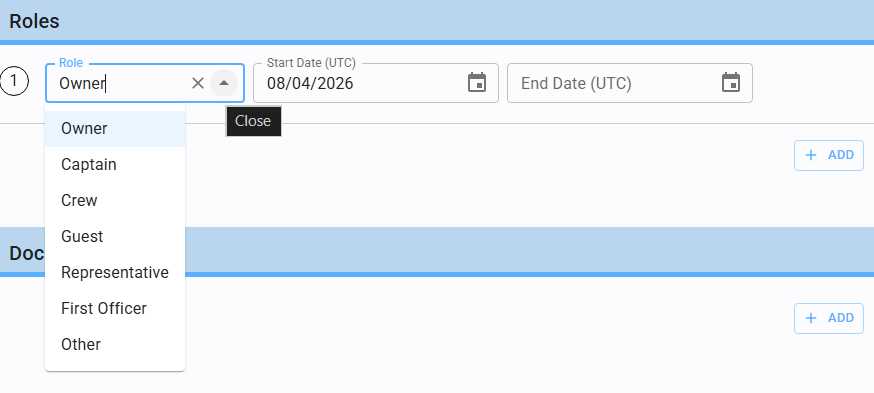
Every boat member must be assigned a specific role from the available list.
To terminate a relationship, simply enter an "End Date" in the member's profile.
Add documents
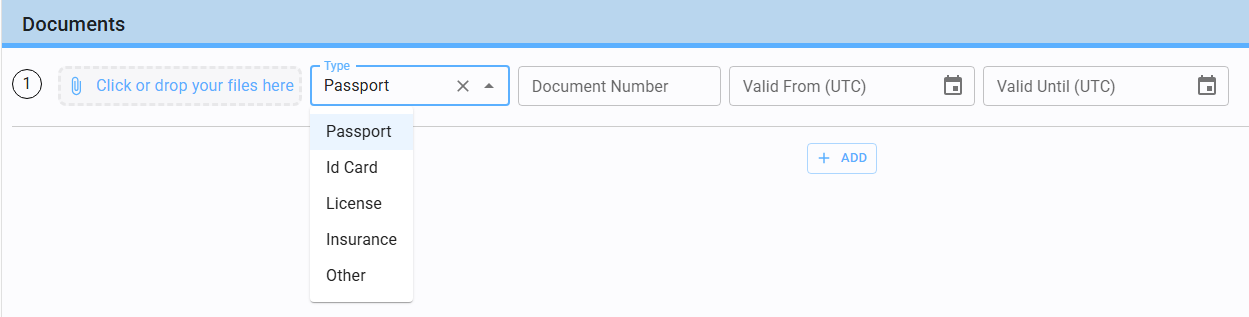
In the boat member form there is a section to add various types of documents, including the image file (refer to Upload files for details on handling attachments).
Manager
This section tracks all managers associated with the fleet, allowing for the management or termination of these assignments.
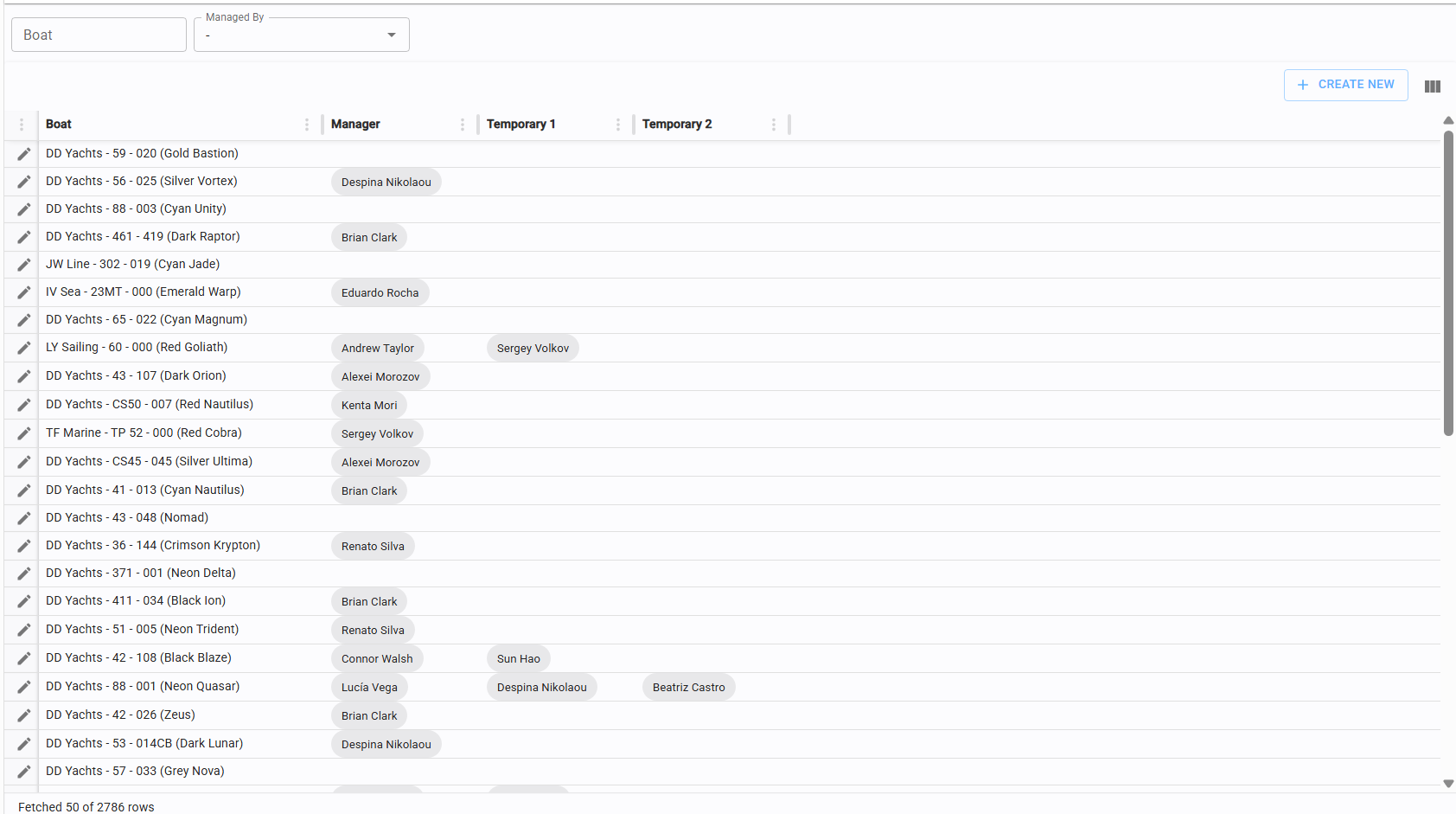
Assign/terminate manager of a boat
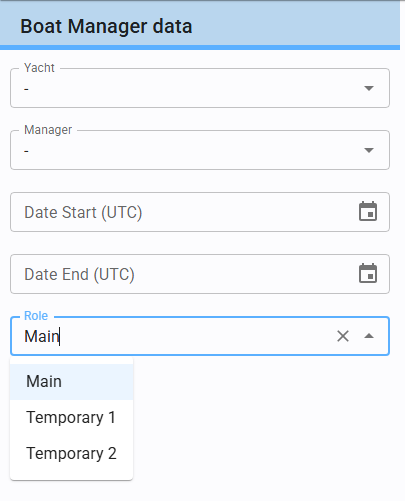
Click "Create New" in the top-left corner of the table to link a manager to a yacht.
Mandatory Fields: You must specify the Yacht, Manager, Start Date (indicating when the responsibility begins), and the Role.
Role Management: Roles are used to manage primary and substitute managers:.
-
Main: The primary manager responsible for the boat.
-
Temporary: Designated substitutes to ensure continuous management coverage.